Press
How it started
Waffle Iron started because my eight-year-old daughter wanted to make a podcast. She had a proper microphone (my old one) and plenty to say. Every app we tried let her down.
The capable ones were multi-track editors, where one wrong tap recorded straight over the bit she was listening back to. The simple ones were so simple they were a bit ridiculous. And whatever she recorded, she'd bring it to me to make it sound nice.
So we built the first version over a weekend, and she recorded her podcast on it. We've been refining it ever since. It's meant to be as simple as it can possibly be, without skimping on what it does.
You press record and talk. Each take becomes a part on one timeline that you can trim, move or bin, and that's the whole editing model. Underneath, it's a real multi-track recording with one file per microphone, but you're never shown a track. Eight sound pads drop effects in right where you were in the sentence.
Each take gets tidied up as you go, so the levels are evened out, voices are clearer and the long pauses come out. It writes down every word on the device too. You can search for a bit, read a part back before the next take, and the rude words get a beep.
It's built on what's new in iOS 26. Apple's on-device speech framework writes down what was said, and the Foundation Models framework suggests a name and show notes from it. A Live Activity shows the take on the lock screen, and App Intents start a recording from Siri or Shortcuts. If you leave the app, a long export carries on in the background.
There's no account and no server, so nothing leaves the device unless you send it somewhere. It's a one-off purchase with no ads and no tracking.
What makes it different
Every time you press record, you get a new part. Underneath, it's a proper multi-track recording with a file for each microphone. It shows up as one block, though, that you can move, trim or split in one go. Plug in a USB audio interface and every microphone gets its own track, with nothing to set up. You can open a part afterwards and change the volume of each microphone or sound effect, so you get the flexibility without the complexity.
Each recording is tidied up the moment it's done. The levels are evened out and normalised, and voices are made clearer. Background hum gets turned down and the long silences come out. Sound effects duck under whoever's talking, too. It's mastered straight away, and each of those has its own switch if you want to change it.
A part can have more than one take. Record it again and you keep whichever take is best, but the old ones are never thrown away. While you're re-recording, the words from your last take sit on screen. That way you don't have to remember everything you said the first time.
Every take is written down on the device as soon as it finishes. The transcript follows along as it plays, and you can search it. You can split a part at any word, too.
The soundboard comes with classic sound effects, or you can load your own audio onto the pads. Tap one while you're recording and it lands exactly where you were in the sentence. It stays separate afterwards, so you can move it or turn it down.
New parts go on the end by default, or you can have them slot in after the part you've got selected.
When you're done, an MP3 is encoded across all of the device's cores. If you leave the app, it carries on in the background. You can also make a video with captions for social media. Or you can export every part as its own track for another multi-track editor, in case you do want to level up later.
It's lightweight, and it doesn't depend on anything online.
Fact sheet
| Name | Waffle Iron: Podcast Maker |
| What it is | A podcast recorder for people who'd rather make the podcast than learn the software |
| Platforms | iPhone and iPad, on iOS and iPadOS 26 or later |
| Price | £5.99 or $5.99, bought once, with no in-app purchases, ads or subscription |
| Privacy | No account, no server, Data Not Collected |
| Language | English |
| Developer | Reluctant Founder Ltd, London |
| Website | reluctantfounder.co.uk/waffleiron |
| Contact | waffleiron@lessonhacker.com |
Screenshots and clips
- All the App Store screenshots, iPhone 6.9″ and iPad 13″, as PNG (15 MB)
- Recording a take with the pads, iPhone, silent MP4
- Playing back with the words lighting up, iPhone, silent MP4
- The words panel on iPad and the timeline on iPad, JPEG
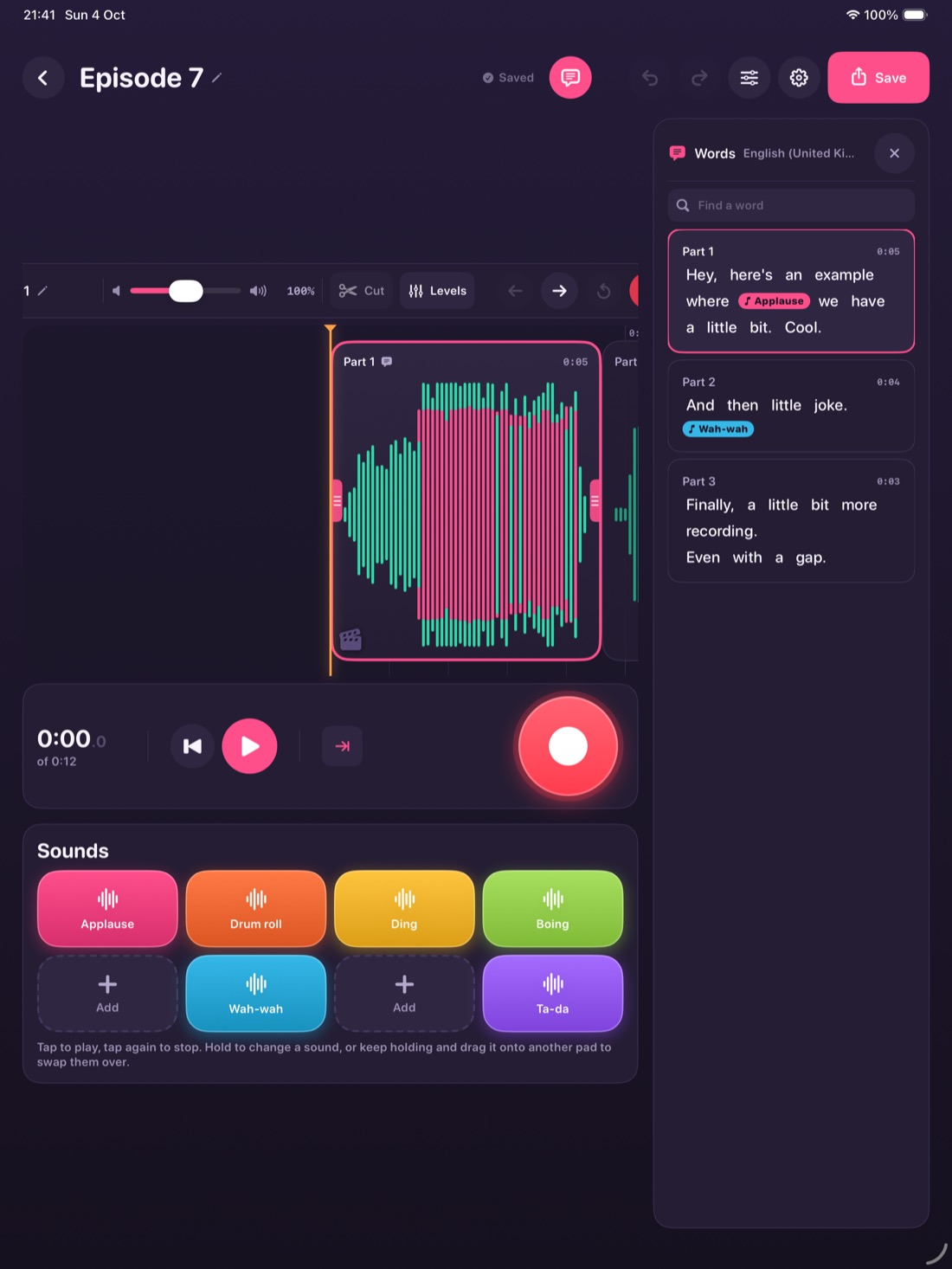
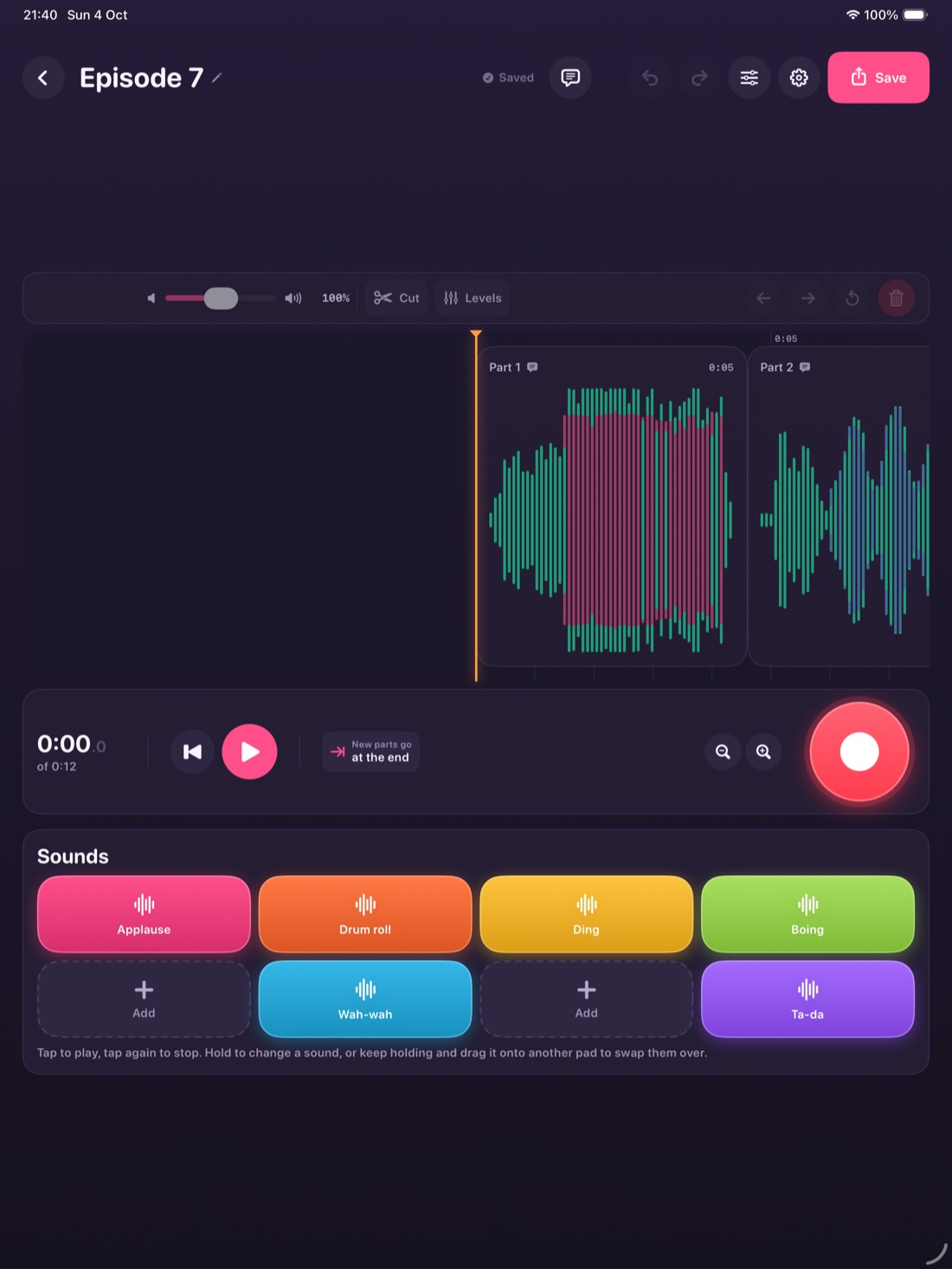
Every screen is the real app, with a real episode in it that was recorded on a phone. Use them however they help.